Features SavePoint
SavePoint: Your Digital Memory VaultLife is a series of moments, ideas, and memories.
In the fast-paced digital age, keeping track of these invaluable snippets can become a task.
Thats where SavePoint steps in - designed to be your personal digital memory vault.Key Features: Secure User Accounts:Create your dedicated account and ensure all your entries are stored securely.
With SavePoint, your memories are just for your eyes.
Easy Entry Logging:Jot down moments, ideas, or notes effortlessly.
Whether its a sudden brainwave, an important task, or a cherished memory, SavePoint ensures its saved instantly.
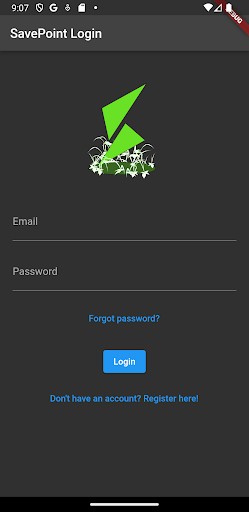
Dark Mode for Night Owls:Switch to our eye-friendly dark mode for those late-night reflections or whenever you prefer.
Sync Across Devices:With SavePoints cloud support, your entries are synchronized.
Access them on any device, anytime.
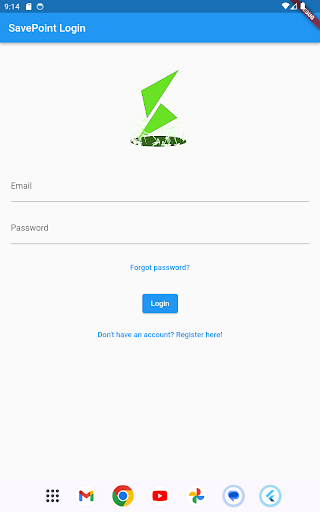
Intuitive Design:Our user-friendly interface ensures you spend more time penning down thoughts than figuring out the app.Performance:Built for speed.
SavePoint ensures lightning-fast performance, no matter how many entries you have.Why Choose SavePoint?Private: Your memories and notes are personal.
SavePoint guarantees your data remains confidential and secure.Simple: No unnecessary frills.
Just a straightforward app that does its job efficiently.Ad-free Experience: Enjoy an uninterrupted experience.
We value your peace of mind over ads.Feedback & Support:We continuously strive to make SavePoint better for you.
If you have any feedback, suggestions, or run into any issues, please reach out to our support team.
Your feedback shapes the future of SavePoint.Join the thousands of users whove chosen SavePoint as their favorite digital diary and note-taking app.
Embrace the future of journaling with SavePoint.
Productivity Tools
Boost your productivity with powerful tools and features.
Food & Dining
Discover recipes and order food from your favorite restaurants.
Shopping Features
Shop online and find the best deals.
See the SavePoint in Action

Get the App Today
Available for Android 8.0 and above